
Do you want to make your home smarter? A smart home means your house can do many things by itself. It can help you save time, keep you safe, and make life easier. In this article, we will explain smart home basics step by step. You will learn what a smart home is, how it works, and how to start.
What Is a Smart Home?
A smart home has devices that can connect to the internet. These devices can talk to each other and to you. You can control them with your phone, tablet, or voice. For example, you can turn on the lights without walking to the switch. You can also check your home’s temperature when you are outside.
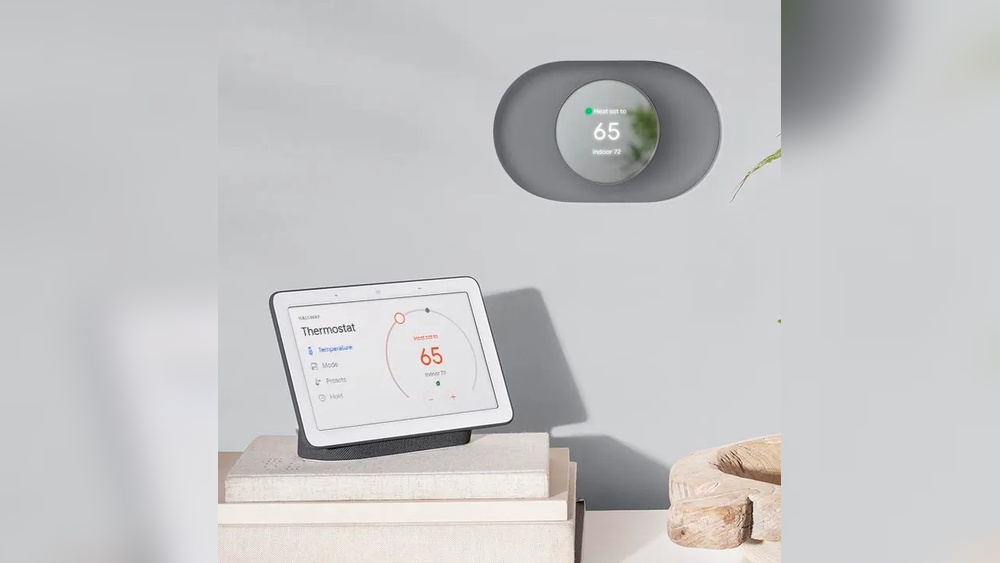
Smart homes use technology to make daily tasks easier. Some smart devices can learn your habits and help you automatically. For example, your heating system can warm your house before you arrive. This makes your home comfortable and saves energy.
How Do Smart Homes Work?
Smart homes use three main parts:
- Smart Devices: These are the tools like smart lights, smart locks, smart speakers, and more.
- Internet Connection: Most smart devices need Wi-Fi to connect to the internet and to each other.
- Control System: This is how you control the devices. It can be an app on your phone or a voice assistant like Alexa or Google Assistant.
When you use your phone or voice, the control system sends a message to the smart device. The device then does what you asked. For example, if you say “Turn on the light,” the smart bulb will turn on.

Credit: store.google.com
Common Smart Home Devices
There are many smart devices you can use in your home. Here are some of the most popular ones:
| Device | What It Does | Benefits |
|---|---|---|
| Smart Lights | Change colors, turn on/off with phone or voice | Save electricity, easy control |
| Smart Thermostat | Control heating and cooling automatically | Save energy, keep home comfortable |
| Smart Locks | Lock and unlock doors remotely | Improve security, no need for keys |
| Smart Cameras | Watch your home from anywhere | Increase safety, check on pets or kids |
| Smart Speakers | Play music, answer questions, control devices | Hands-free control, fun and useful |
Step 1: Check Your Internet
First, you need a good internet connection. Most smart devices need Wi-Fi. If your internet is slow or unstable, smart devices may not work well. Make sure your Wi-Fi signal covers all parts of your home. You may need a Wi-Fi extender for big houses.
Step 2: Choose a Control System
You need a way to control your smart devices. Many people use a smartphone app. Some devices have their own app. Others use a central app that works with many devices.
You can also use a voice assistant. Popular ones are:
- Amazon Alexa
- Google Assistant
- Apple Siri (HomeKit)
Voice assistants let you control devices by speaking. For example, say “Turn off the lights.” It is simple and fast.
Step 3: Start Small with Easy Devices
Do not buy many devices at once. Start with a few simple ones. Smart lights are a good start. They are easy to install and use. You can try turning them on and off with your phone or voice.
Another good device is a smart plug. You plug it into a normal outlet. Then, you plug a device into the smart plug. You can control the device with your phone. For example, turn on a fan or lamp remotely.
Credit: palmetto.com
Step 4: Connect Devices to Your Network
When you buy a smart device, you must connect it to your Wi-Fi. Usually, this is done with the device’s app. The app will ask for your Wi-Fi name and password.
After connection, the device will appear in your app. You can test it by turning it on or off. If it does not work, check your Wi-Fi or restart the device.
Step 5: Create Routines and Automations
One great thing about smart homes is automation. You can set your devices to work automatically. For example, turn on the lights at sunset. Or, lock the doors at night.
Most apps let you create routines. Here is an example of a simple routine:
- At 7:00 AM, turn on bedroom lights.
- Set thermostat to 22°C.
- Play morning news on smart speaker.
These routines save time and make your home comfortable. You do not need to do many things every day.
Step 6: Keep Your Smart Home Secure
Security is important for smart homes. Devices connect to the internet, so they can be targets for hackers. Here are some tips to keep your smart home safe:
- Use strong and unique passwords for your Wi-Fi and apps.
- Change default passwords on devices.
- Update device software regularly.
- Use two-factor authentication if available.
- Turn off devices when not needed.
These steps help protect your home and privacy.
Step 7: Expand Your Smart Home Gradually
Once you feel comfortable, you can add more devices. Some ideas include:
- Smart doorbells with video
- Smart smoke and carbon monoxide detectors
- Smart blinds or curtains
- Smart irrigation systems for gardens
Adding devices one by one helps you learn and avoid problems. It also helps you keep control of your budget.
Benefits of Having a Smart Home
Why do people want smart homes? Here are some main benefits:
- Convenience: Control your home easily from anywhere.
- Comfort: Keep your home just the way you like it.
- Energy Savings: Use less electricity and save money.
- Safety: Watch your home and get alerts if something is wrong.
- Accessibility: Help for people with disabilities or older adults.
Common Challenges and How to Solve Them
Smart homes can have some challenges. Here are a few and how to fix them:
| Challenge | Solution |
|---|---|
| Devices not connecting to Wi-Fi | Check Wi-Fi password and signal strength. |
| Devices slow or lagging | Restart router or device; upgrade internet plan. |
| Too many apps for different devices | Use a central app or voice assistant to unify control. |
| Privacy concerns | Read privacy policies; turn off cameras when not needed. |
Final Thoughts
Smart homes are not just for tech experts. Anyone can start with simple steps. A smart home can make life easier and safer. It can help save energy and money too.
Remember to start small and learn as you go. Check your internet and choose good devices. Keep your home secure and enjoy the benefits.
Smart homes are a helpful tool for modern living. You can control your home with a tap or voice. It is a new way to live more comfortably. Try it step by step. You will see how easy it can be.
Frequently Asked Questions
What Is A Smart Home System?
A smart home system connects devices for remote control and automation.
How Do Smart Home Devices Communicate?
They use Wi-Fi, Bluetooth, or Zigbee to share information.
Which Devices Are Essential For Smart Homes?
Smart lights, thermostats, cameras, and voice assistants are common essentials.
Can Smart Homes Improve Energy Efficiency?
Yes, they help save energy by automating lights and temperature.