
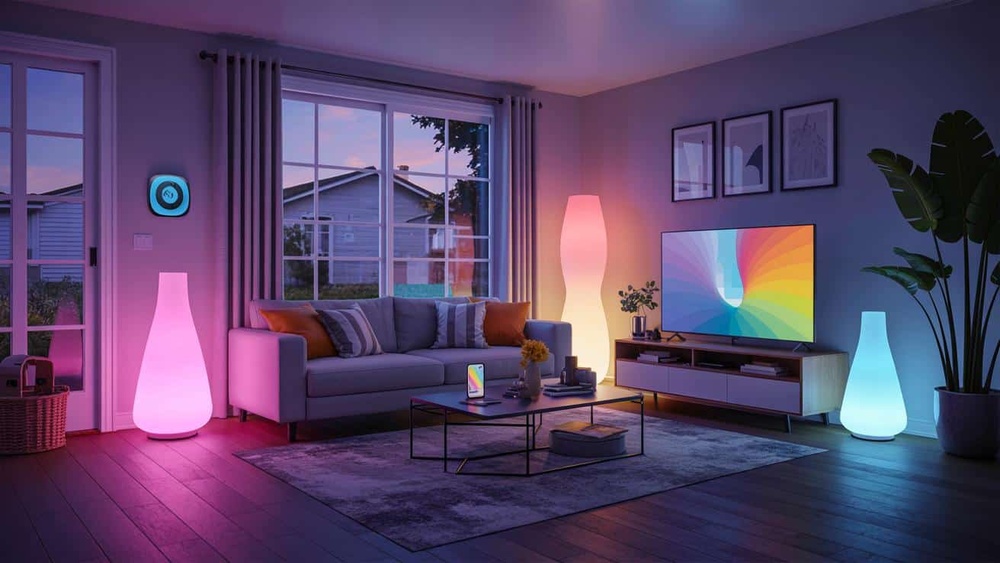
Smart homes are becoming popular. Many people want to make their homes smarter. But, setting up a smart home can seem hard. If you are a beginner, do not worry. This guide will help you create a simple smart home setup. It will be easy and useful.

Credit: store.google.com
What is a Smart Home?
A smart home uses devices connected to the internet. These devices help you control your home. You can control lights, locks, fans, and more with your phone or voice. Smart homes can save energy and make life easy.
Why Set Up a Smart Home?
- Comfort: Control devices without moving.
- Security: Watch your home from anywhere.
- Energy Saving: Turn off devices when not needed.
- Convenience: Use voice or app to control home.
Easy Steps for a Simple Smart Home Setup
Follow these steps. They will help you start smart home setup without confusion.
Step 1: Choose A Smart Home Assistant
A smart home assistant is like the brain of your smart home. It listens to your voice and controls devices. Some popular assistants are:
- Amazon Alexa
- Google Assistant
- Apple HomeKit (Siri)
Pick one assistant that fits your needs. Usually, Amazon Alexa or Google Assistant is good for beginners. They are easy to use and have many compatible devices.
Step 2: Pick A Smart Speaker Or Display
You need a smart speaker or display to use the assistant. These devices listen to your commands and talk back. Examples:
- Amazon Echo
- Google Nest Mini
- Apple HomePod Mini
Start with one device. Put it in a room you use most. This will make using your smart home easier.
Step 3: Add Smart Lights
Smart lights are a great first device for beginners. You can turn lights on or off with your voice or phone. Some smart lights can change color too.
There are two types:
| Type | Description | Example |
|---|---|---|
| Smart Bulbs | Replace your regular bulbs with smart ones. | Philips Hue, Sengled |
| Smart Light Switches | Control the wall switch to make existing bulbs smart. | Lutron Caséta, TP-Link |
Smart bulbs are easier to start with. Just screw them in and connect to your app.
Step 4: Add Smart Plugs
Smart plugs let you control devices that are not smart. You plug them into the wall. Then, plug your device into the smart plug.
Example uses:
- Turn a lamp on/off remotely.
- Control a fan or heater.
- Schedule devices to turn on/off at certain times.
This is an easy way to add smart control without buying new devices.
Step 5: Set Up Smart Thermostat (optional)
If you want to save energy and control temperature easily, get a smart thermostat. It learns your habits and adjusts temperature.
Popular models:
- Google Nest Thermostat
- Ecobee SmartThermostat
This step is optional but helpful in the long run.
Step 6: Connect Devices To Your Assistant
Use your smartphone app to connect devices. Follow these simple steps:
- Open your assistant’s app (Alexa, Google Home, or Apple Home).
- Choose “Add Device.”
- Find the device type (light, plug, thermostat).
- Follow instructions to connect device to Wi-Fi.
- Name the device for easy control.
Once connected, test the device by giving a voice command or using the app.
Tips for a Smooth Smart Home Experience
- Start small: Add a few devices at first.
- Use the same assistant: Mixing assistants can cause confusion.
- Check Wi-Fi: A strong Wi-Fi network is important.
- Name devices clearly: Use simple names like “Living Room Light.”
- Update apps and devices: Keep them up to date for better performance.

Credit: store.google.com
Common Smart Home Devices to Consider Later
Once you are comfortable, you can add more devices. Here are some ideas:
| Device | Use |
|---|---|
| Smart Locks | Lock/unlock doors with your phone. |
| Smart Cameras | Watch your home from anywhere. |
| Smart Doorbells | See visitors and talk to them remotely. |
| Smart Sensors | Detect motion, temperature, or water leaks. |
Benefits of a Simple Smart Home Setup
A simple smart home setup can make life better. Here are some benefits:
- Easy control: Use your voice or phone.
- Save money: Turn off devices when not needed.
- Stay safe: Watch your home anytime.
- Comfort: Change settings without moving.
You do not need to buy many devices at once. Start with a few and add more slowly.
Final Thoughts
Setting up a smart home does not have to be hard. Start with a smart assistant and speaker. Add smart lights and plugs next. Connect devices easily with simple steps. Use your voice or app to control your home.
Remember, the goal is to make your life easier and your home smarter. A simple setup is best for beginners. Take your time. Learn as you go. Soon, you will enjoy the comfort and convenience of a smart home.
Frequently Asked Questions
What Is A Simple Smart Home Setup For Beginners?
A simple setup uses easy devices like smart bulbs and plugs to start automation.
Which Smart Devices Are Best For Beginners?
Start with smart bulbs, plugs, and voice assistants for easy control.
How Much Does A Basic Smart Home Setup Cost?
Basic setups usually cost between $50 and $150 depending on devices.
Can I Install Smart Devices Without Professional Help?
Yes, most beginner devices are plug-and-play and easy to install yourself.