
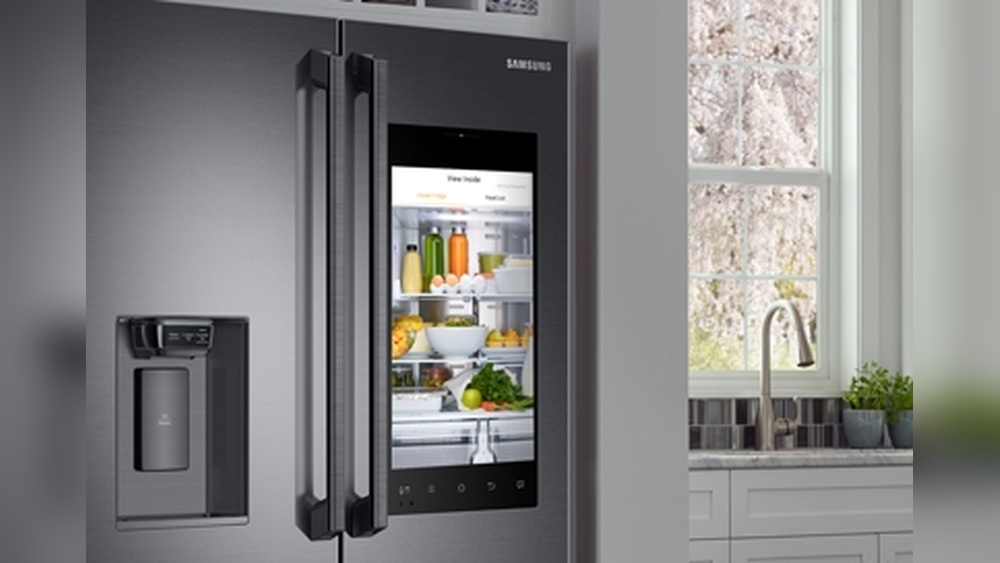
Smart fridges are becoming more common in many homes. These fridges do more than just keep food cold. They help us know when food will expire. This helps reduce waste and saves money. But how do smart fridges track food expiration dates? Let’s explore this topic step by step.
What Is a Smart Fridge?
A smart fridge is a refrigerator with special technology. It can connect to the internet. It has sensors and sometimes cameras inside. These features help it do more than a normal fridge. For example, a smart fridge can:
- Keep track of what food is inside.
- Tell you when food might go bad.
- Help you make a shopping list.
These features make it easier to manage food at home.

Credit: cozzo.app
Why Track Food Expiration Dates?
Food goes bad after some time. Eating expired food can be harmful. It can cause stomach pain or sickness. Many people throw away good food by mistake. Smart fridges help by tracking expiration dates. This means you can eat food before it goes bad. It also helps save money and reduce waste.
How Do Smart Fridges Track Food?
Smart fridges use different methods to track food and its expiration dates. Here are the main ways:
1. Barcode Scanning
One simple way is using barcode scanners. When you put food in the fridge, you scan its barcode. The fridge reads the barcode and gets information about the food. This includes the product name and expiration date. If the food does not have a barcode, you can enter details manually.
2. Voice Or App Input
Some smart fridges let you speak or type the food details. You can say the name and expiration date. Or use an app on your phone to add food items. This way, the fridge keeps a list of what is inside and when it will expire.
3. Cameras Inside The Fridge
Many smart fridges have cameras inside. These cameras take pictures of the food. The fridge uses computer programs to recognize the food items. This helps it guess the expiration date based on the food type. While not perfect, it helps keep track without manual input.
4. Sensors And Weight Measurement
Some smart fridges have sensors to measure weight. If food is taken out or added, the weight changes. This helps the fridge know what is inside. Combined with barcode or app data, it can track how much food remains and when it might expire.
How Does the Fridge Know Expiration Dates?
Tracking food is one thing, but knowing expiration dates is another. Here is how smart fridges get this information:
- From Barcode Data: Many food products have expiration dates on their packaging. When scanned, the fridge reads this data.
- Manual Entry: You can enter the expiration date yourself when adding food.
- Database Lookup: The fridge connects to online food databases. These databases have average shelf life for many foods.
- Using Food Type and Storage Time: If no exact date is known, the fridge estimates expiration based on food type and how long it has been stored.
How Does the Fridge Remind You?
After tracking the food and expiration dates, the fridge needs to inform you. Here are some common ways:
- Screen Alerts: Some smart fridges have touch screens. They show messages when food is near expiration.
- Mobile App Notifications: Many fridges connect to apps on your phone. The app sends alerts about food that will expire soon.
- Voice Reminders: Some models have voice assistants. They can remind you out loud about food expiration.
Benefits of Tracking Food Expiration Dates
Smart fridges help in many ways by tracking expiration dates:
- Less Food Waste: You eat food before it goes bad, reducing waste.
- Save Money: Avoid buying food you already have or throwing food away.
- Better Food Safety: Avoid eating spoiled food that can cause illness.
- Easy Meal Planning: Know what food you have and plan meals accordingly.
- Time Saver: No need to check expiration dates manually all the time.
Challenges Smart Fridges Face
Smart fridges are useful but have some challenges:
- Manual Input Needed: Sometimes you must enter food data yourself.
- Barcode Limits: Fresh food like fruits may not have barcodes.
- Camera Recognition Errors: The fridge may not always recognize food correctly.
- Cost: Smart fridges can be expensive for many people.
- Internet Connection: Many features need internet access to work well.
How to Use a Smart Fridge for Expiration Tracking
To get the most from your smart fridge, follow these tips:
- Scan or Enter Food When You Buy: Add new food items right away.
- Check Notifications Regularly: Look at alerts for food that will expire soon.
- Organize Food Inside: Put food that expires soon at the front.
- Use the Mobile App: Use the app to manage your fridge on the go.
- Throw Away Spoiled Food: Remove expired food to keep the fridge clean.
Future of Smart Fridges
Smart fridges will keep improving. New technology will make tracking easier. For example:
- Better food recognition using cameras and AI.
- Automatic scanning without manual input.
- Improved sensors to detect food freshness.
- More affordable models for everyone.
This means smart fridges will become even more helpful in our homes.
Summary
Smart fridges track food expiration dates using barcodes, cameras, apps, and sensors. They remind you when food will expire. This helps reduce waste and saves money. Though there are some challenges, smart fridges make food management easier. With new technology, they will continue to improve. Using a smart fridge helps keep food fresh and your family safe.

Credit: justenergy.com
Table: Common Methods Smart Fridges Use to Track Food Expiration
| Method | How It Works | Pros | Cons |
|---|---|---|---|
| Barcode Scanning | Scan product barcode to get info | Fast and accurate for packaged food | Not useful for fresh produce |
| Manual Entry | Type or speak food and date | Works for all foods | Takes time and effort |
| Cameras Inside Fridge | Take pictures and recognize food | No manual input needed | May make mistakes in recognition |
| Sensors & Weight | Detect changes in weight inside fridge | Track food quantity changes | Cannot identify specific food items |
Frequently Asked Questions
How Do Smart Fridges Track Food Expiration Dates?
Smart fridges use sensors and barcode scanning to monitor food items and their expiration dates.
Can Smart Fridges Send Alerts Before Food Expires?
Yes, they notify users through apps or fridge screens about upcoming expiration dates.
Do Smart Fridges Require Manual Input For Expiration Dates?
Some need manual entry; others read barcodes or use AI to estimate dates automatically.
What Technology Helps Smart Fridges Identify Food Items?
Barcode scanners, RFID tags, and cameras help smart fridges recognize stored food.